
Communication and digital signage
Communication and digital signage
While employees share a number of resources, such as communal areas, cafeterias and meeting rooms, there is still one area where everyone tends to operate separately: the information system.
At a time when GDPR regulations and cybersecurity threats are becoming increasingly important concerns, how can organisations enable users to share information simply and effectively? And how can they encourage better communication around the way people live and work together?
Why and how should businesses communicate?
The reception area plays a key role in shaping people’s first impressions of a workplace. Whether welcoming and comfortable or more formal and traditional, it reflects the company’s image. Employees, freelancers, clients and partners all pass through this area and begin forming an impression of the company as soon as they enter the premises.
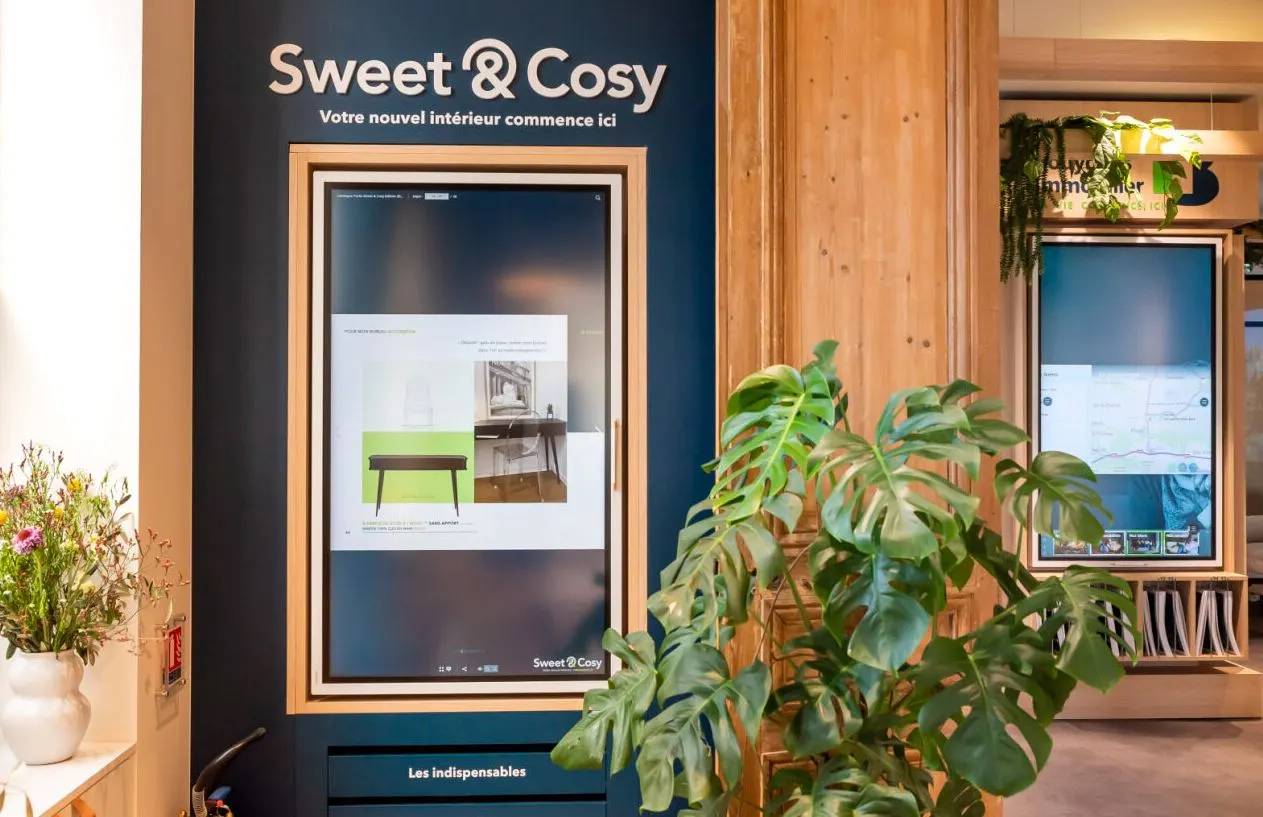
Digital signage, positioned at the entrance to the building, for example, can help welcome visitors with a personalised message, guide them towards waiting areas or meeting rooms, and inform them about what is happening within the workplace or coworking space.
Reception areas are also places where visitors may spend time waiting for an appointment. A digital signage screen can therefore be an effective way to introduce the company, share information about its activities, display news or promote upcoming events.
Cafeterias and breakout areas are ideal spaces for communicating with employees. They also provide an opportunity to showcase the benefits of your workplace by creating attractive, personalised environments. Every employee can become a potential brand ambassador.
Coffee machines, armchairs, beanbags and other amenities are essential for making these spaces more welcoming and engaging. Table football, arcade machines and similar features can transform them into genuine social hotspots.
With the help of information widgets, digital signage can also become a source of conversation and interaction. Social media feeds, local news, traffic updates, event calendars and meeting schedules are just some of the useful information that can be displayed in communal areas.
Where should you position your digital signage screen?
|
AREAS TO PRIORITISE |
|
|
|
AREAS TO AVOID |
|
|
What type of dynamic content should you prioritise?
- To be effective, content should be simple, visual and concise.
- The best approach is to create publishing schedules, allowing you to alternate between different types of messages and content depending on the time of day.
- It is also important to create content guidelines to optimise formats and ensure consistency across different types of messages.
Digital art is making its way onto digital signage screens:
For distinctive content that provides added value to users, digital art is becoming increasingly popular, offering an immersive visual experience and an invitation to explore new worlds.

Faurecia headquarters |

Toulouse Tourist Office |

Rennes Exhibition Centre |
INFORMAutomate the display of production data and performance indicators across your facilities by integrating Media4Display into your information system. |
TRAINImprove quality and employee training by displaying production instructions at workstations, automatically retrieved from your information system. |
ALERTInstantly communicate alerts, safety instructions and upcoming maintenance operations to your production teams. |